The pattern as fired tile.
24 October 2026
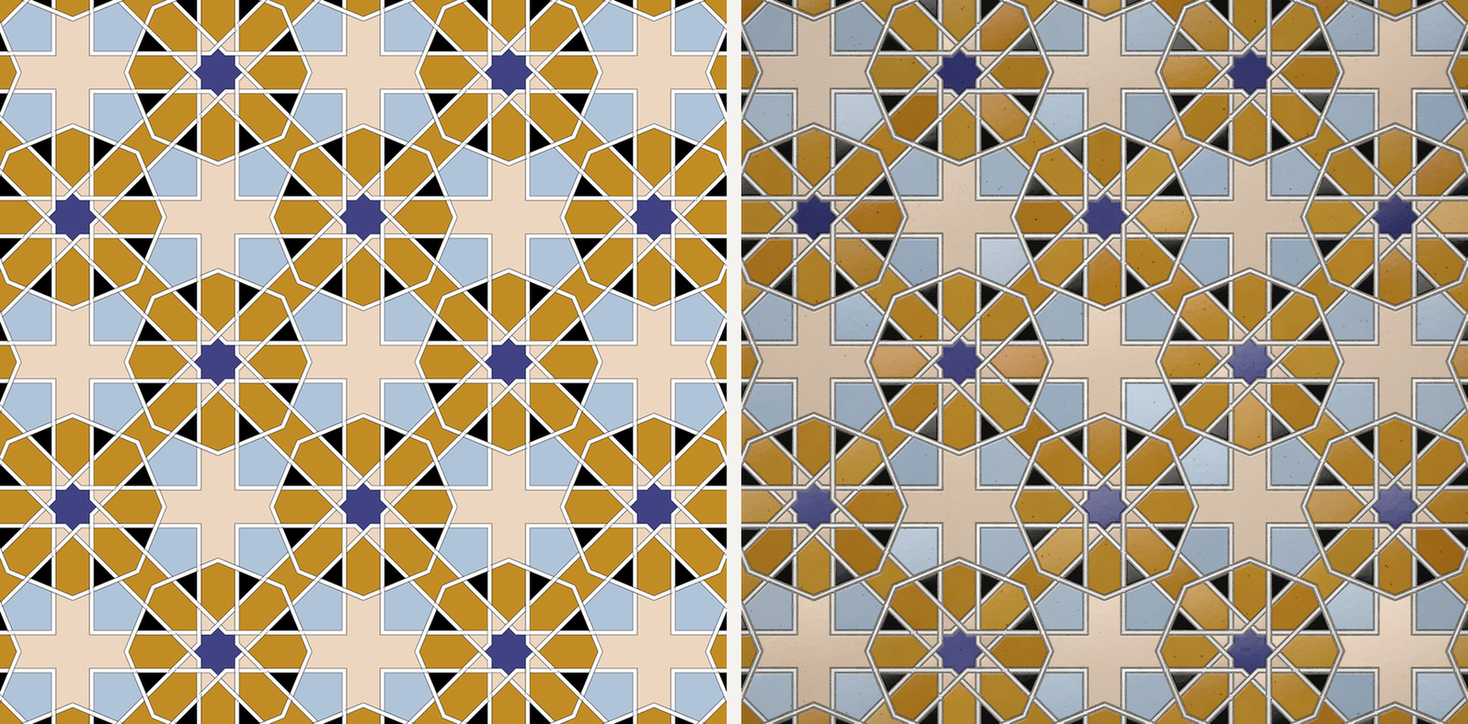
The studio can now show any pattern it draws as glazed ceramic. The picture is computed in the browser from the pattern's own geometry by a material model. No image model is involved, so the tiles in the picture are exactly the pieces the drawing cuts: derived, not generated.
What the firing derives
A drawing in the studio is a set of closed pieces: stars, kites, crosses, the polygons between them, and, where a pattern is woven, the straps. The fired view starts from those pieces and nothing else. It takes their boundaries as the tile edges. Between the tiles it opens a joint, and the joint is sized to the piece it borders: a large star gets a joint of ordinary width, a sliver a tenth its size gets a narrower one, so that the small pieces round a rosette stay pieces rather than melting into grout.
Each tile is then given the things a cut and glazed tile has. A rounded edge, where the glaze thins over the arris and turns the outline soft. A thickness of glaze that is thinner at the rim and pooled at the foot, so that the colour deepens towards the edge the way a transparent glaze does over a body. A slight tilt and a slight dome, different for every tile, the way hand-set pieces sit. A reflection of a window and a room in the glaze, with a small sharp key light, and the faint orange peel that a fired surface carries. Underneath, a sanded grout, recessed, with the shadow a tile casts on it. All of this is arithmetic over the geometry: a distance field from every tile edge, a colour table per piece, a light model. It runs in your browser in a few seconds.
Studied, not copied
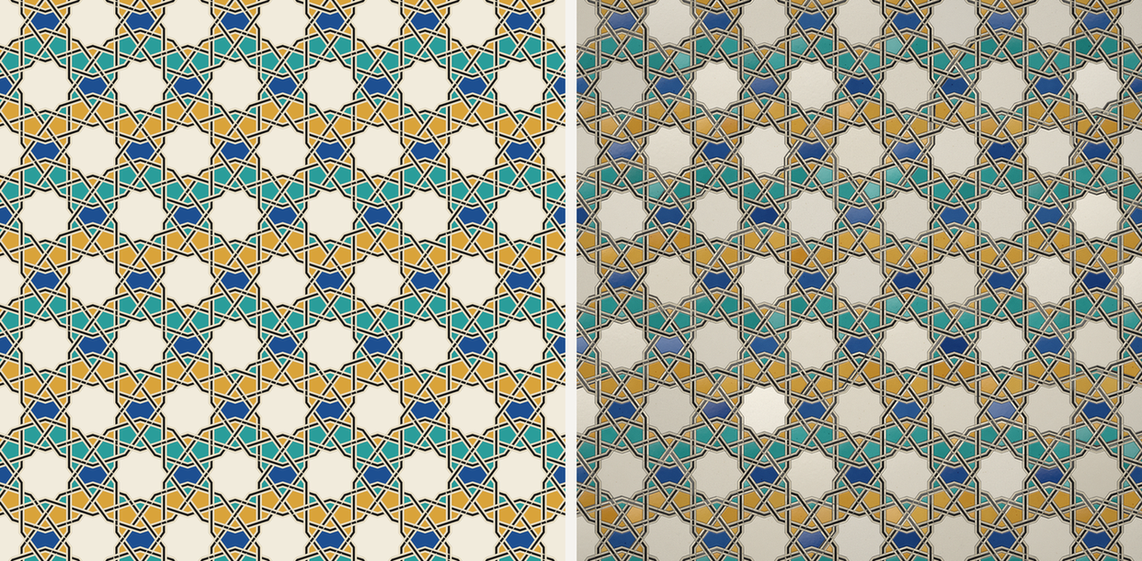
The look was studied from real glazed tilework: how a cobalt pools, where an iron glaze specks, how deep a zellij joint reads from across a court. But none of that enters the render as a picture. There is no photograph under the pattern, no texture pasted on, and no generative model asked to make it look like tile. What enters is a short table of material settings, glaze thickness, joint width, edge radius, and the geometry of the pattern you are looking at. Change the pattern and the firing follows it, piece for piece. The same preset fires the same way every time.
Where it is, and what it exports
The Glazed tile toggle sits on the studio canvas, beside the other view controls. Switch it on and the canvas shows the current pattern fired; switch it off and the drawing comes back. The PNG export follows the toggle: with it on, the file you download is the fired tile at export size, computed fresh for that size. The SVG, the DXF and the cut schedule do not change. They always carry the drawing, because that is what a workshop cuts from. The toggle is free to try on every preset.
What it still gets wrong
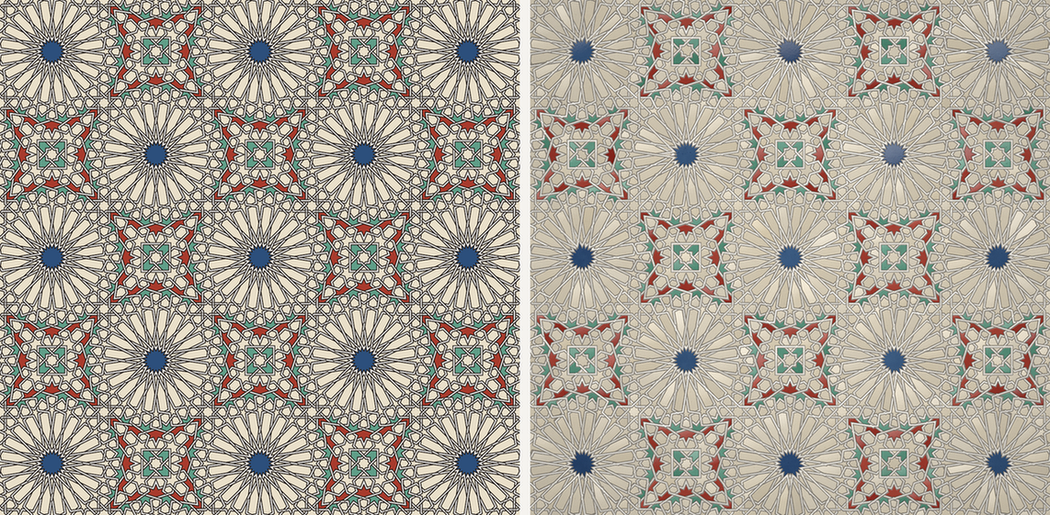
Two things, honestly. Where a pattern is drawn as a thin interlace and the picture is small, the straps are narrower than a joint can be, and the firing shows them as a line in the grout rather than as a ribbon of tile; widening the strap with the Ribbon slider gives the firing a piece to work with. And where straps cross, a real cutter makes a true cut, one strap passing under the other as two pieces with a joint between; the firing does not cut there yet, so a crossing reads as one piece where the drawing shows an over and an under. Both are known, both are geometric, and both are on the list.
Fire a pattern.
Open any preset, switch on Glazed tile, and export the PNG. Derived, not generated.
Open the studioCommon questions
Is the fired tile view made by an image model?
No. It is a material model that runs in the browser over the pattern's own geometry. The tile boundaries, the joints, the glaze edge, the glaze thickness and reflection and the grout are all computed from the pieces the drawing already cuts. The look of real glazed tilework was studied, but no photograph and no generative model is used.
Where is the toggle and what does the export do?
The Glazed tile toggle sits on the studio canvas. With it on, the canvas shows the current pattern fired, and the PNG export follows it. The SVG, DXF and cut schedule are unchanged: they always carry the drawing.